DOM트리
Document Object Model (DOM)
DOM 이란?
- 브라우저에 의해 생성되는 node/element 트리
- 객체지향적인 표현방식
- JavaScript는 DOM트리를 읽기/쓰기/수정 할 수 있다.
JavaScript는 DOM트리를 읽을 수 있어 JS를 이용하면 웹 페이지에 존재하는 것들을 모두 수정, 추가, 제거할 수 있다. 이를 위해 예전에는 Jquery를 사용했지만, 요즘은 vanilla JS가 더 자주 쓰인다고 한다.
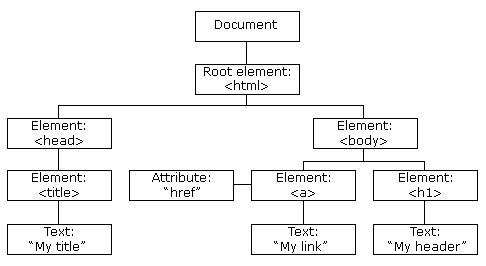
위 그림에서는 생략 됐지만 브라우저는 DOM tree 최상단에 window object를 위치시키고 바로 밑에 DOM tree의 core인 Document object를 둔다.
Root element부터 html로 표현해본다면 이렇게 될 것 같다.
<!DOCTYPE HTML>
<html>
<head>
	<title>My title</title>
</head>
<body>
	<a href="~~~">My link</a>
	<h1>My header</h1>
</body>
</html>
그럼 이제 vanilla JS를 이용해서 DOM tree을 조작해보자.
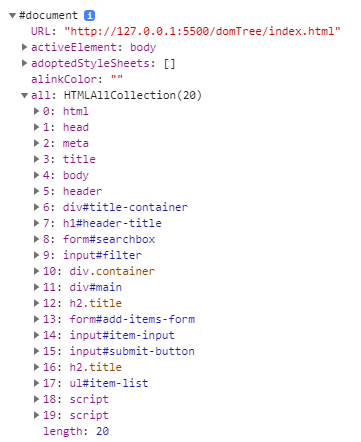
개발자 도구를 켜서 document를 찍어보면
console.dir(document)
URL이 나오고 all에는 html 문서에 작성한 순서대로 웹을 구성하는 모든 태그들이 들어 있다. 이외에도 많은 정보들이 담겨있다.
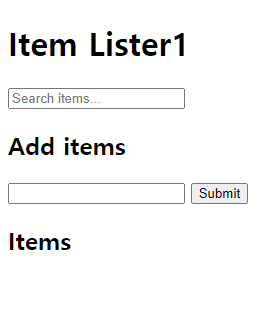
그럼 이제 document node를 이용해 h1 태그를 수정해보자.
index.html
<header>
	<div  id="title-container">
		<h1  id="header-title">Item Lister1</h1>
console
document.getElementById('header-title').textContent = 'hello'
document.getElementById('header-title').innerText = 'hello'
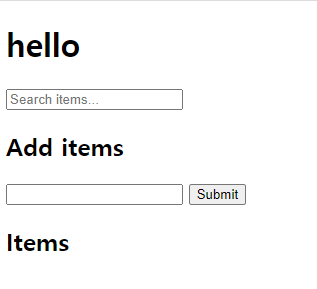
getElementById를 이용하여 간단하게 title을 바꿔 보았다. (참고. innerText와 textContent 둘의 차이점은 style의 영향 유무이다 )
+ display:none인 다른 tag가 있을 때
+ innerText는 그 태그 text를 제외하고 출력
+ textContent는 style 무시하고 모든 text를 출력
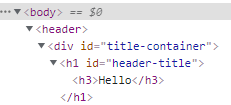
이제 h1 태그 안에 새로운 태그를 추가해보자
console
var newTag = document.createElement('h3')
newTag.innerText = 'Hello'
var h1Tag = document.getElementById('header-title')
h1Tag.appendChild(newTag)